Starting the Game
Once you start KinitoPET, a big, black CRT computer monitor will pop up in front of you with a static screen. it will then fade out and turn into a button, click it. The old monitor comes back and the intro scene starts.
In the login screen, just click the name bar to continue in the game. You are now introduced to the widescreen desktop. You are now prompted by the Notes tab in the right of the screen to double click an application to open it and explore the wonderful virtual world.
Welcome to the Net!
Click on the Internet icon to open the internet browser. Type Kinito or KinitoPET and click the link ‘Let’s talk about…” Once there, closing the window will give you an error message. A bombardment of KinitoPET ads will consume your screen prompting your computer’s operating system to crash. Press any key to continue.
Complete the KinitoPET Setup
The screen restarts and you are once again in your desktop but with a web browser opened to the KinitoPET website. Press Download Now to continue. When the files have program have been downloaded, a new email will pop up as soon as the installation is finished. Click Finish then open your email from KinitoPET. You can now double click the kinitopet.exe icon.
KinitoPET.exe
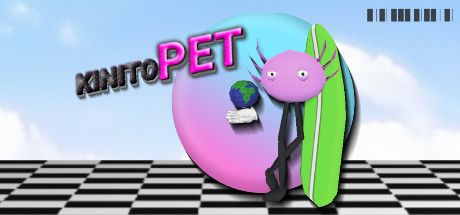
A command prompt will execute then a sleeping, spotted pink egg will magical pop up in the middle of your screen. The Notes tab will prompt you to tap the egg to wake him up. Kinito now makes his debut appearance, thanking you for waking him up. Type your name in the box so Kinito can get to know more about you. Press yes to confirm it is your real name.
Let’s Get to Know Each Other
An interrogation of some sort will ensue so just answer the following questions from Kinito. Questions will range from favorite color, super power, and favorite word. After that, Kinito will tell you more about himself along with a story he just made. Click Yes to hear about his story.
Sit back and listen to Kinito’s Story
A green book will pop up in the middle of the screen. Listen to Kinito’s story until the end where Kinito will thank you for listening to his story. Kinito will confess that the story was about the two of you.
Something Special from Kinito
After the story, Kinito prepares something special for you which he then automatically open up the web browser and connect to the internet. Kinito will open up the Kinito Crew’s web world page and ask you to click start. You will be introduced to Kinito’s friends, Sam the Anemone and Jade the Jellyfish.
Welcome to the Web World!
Once you click start, Kinito will introduce the map screen in the browser where you can play games and meet all his pals. He will then grab a man icon as your character for the map so you can move around. Click around to move the man icon.
Fixing Sam’s House
Click on the Abandoned House to meet with Sam. The house is located on the left side of the map, the one with the brown roof. The challenge will be to clean, dust, paint, and decorate Sam’s house until it’s as good as new. The game is called ‘Ready Repair!’ Click start to proceed.
Ready Repair!
The screen will load and then introduce you to Sam the Anemone. He will ask you to clean his house. Use the feather duster and click on the cobwebs. Then use the sponge on the water bucket to wipe the floor clean. Press next to continue on.
The next step is to paint his walls with a roller brush. Press Next to finish once available. A glitch will occur but will continue on to the next part.
Decorate the house with whatever item is available then find the item with a black square and drag it to the room. The screen will blackout a few times. A dead body wrapped in a black garbage bag will pop up inside the room where you can move it like a furniture item; blood slowly spilling over the floor you just cleaned. It will fade to black once again along with the CRT monitor and a surprising scare!
Meeting Jade
On the Kinito Crew’s web world map, click on the house with a purple roof. You will be instructed by Kinito to meet with his friend Jade the Jellyfish.
Factory Frenzy!
Jade the Jellyfish needs help in fixing her toys. Grab parts from the conveyor belt to put the pieces back together. Press Start to get the game started while Kinito takes a quick nap.
Match the items to the silhouette outline. Items will be a car the a bicycle. The browser game will glitch revealing a monotone version of the mini game, with an outline of a body for the parts silhouette.
The screen will turn black and the words ‘I’m back here again aren’t I… I really didn’t mean for any of this. Its all my fault” will flash in front of the screen. A hand reaches out and will go back to the game screen once again.
Jade will then ask you to build a building a teddy bear and a robot. An email will pop up saying ‘IT’S NOT TOO LATE.” Open the email. A bunch of gibberish sentences is seen in the new email along with a QR Code. Kinito wakes up angrily asking you to keep playing Jade’s game. You won’t be able to open the email again so finish up the robot in the mini game. Press Next when you’re done.
Hide and Seek
Meet Kinito in the tree house to progress. You will be introduced to the mini game Hide and Seek. The screen will turn black and an image of an alarm clock set at at 10:59 will ring as soon as it is in 11:00. The text ‘something is seeking you. DONT GET CAUGHT’ will emanate from the black screen.
A dungeon like FPS game will show your character in a basement like hallway. Move around the tunnel as it doesn’t matter where you go. Wait for a creepy song to play until it glitches out and pulls you out of the game.
The Kinito Crew
Back in the desktop once again, you are shown a video of a 90s style commercial about The Kinito Crew brought to you by the Kinito Leisure and Entertainment Company. After the commercial will be another glitch sequence starring a dark, one-eyed figure popping out while a prompt saying ‘I am waiting for you’ is plastered on the middle of the screen. Click OK at everything, instructing you to reopen the game. Press the KinitoPET shortcut icon again.
New Email
Back in the Desktop, you have received a new email titled Tech Talk Talent – Behind the Kinito Companion. Open the email and read through the ad for the tamagochi like magazine article. Open kinitopet.exe again to continue.
Best Friends Analysis Hub
Kinito will pop up again and tells you he’s better now. He will think of an activity you can both do together which is the Best Friends Analysis Hub. Press the Start button whenever you’re ready.
Getting to Know You
Starting off to get the friendship ball rolling, Answer the question ‘Is everything going smoothly for you today?’ with a No. The next question will be ‘ Would you say you have enjoyed using KinitoPET?’ and the answer is also No. Kinito will then ask who your best friend is.
Type your answer in the box. Any answer other than the name Kinito will prompt him to turn up the volume and turn black, asking the question again in a menacing voice. Keep answering with a name other than Kinito a few times. Answer Kinito lastly will let Kinito pop back up again.
Another question will reveal asking if you have lots of free time. Press the No button. What is your favorite game should be answered with any game you like. Answering that will conclude the first section of the Best Friends Analysis Hub.
Painting Task
Kinito asks you to paint him some pictures so he can get to know you better. You will be using an MS Paint style program.
-
- In Task 1, Kinito asks you to paint a picture that represents happiness. Draw anything you like and proceed to the next one.
- He will then ask you to paint a picture representing sadness for Task 2. Do the same and just draw whatever you want.
- Task 3 makes you paint a picture of your best friend. Draw anything again and Kinito will say that it doesn’t look anything like him.
- For Task 4, paint me a picture that represents you, You have the option to draw whatever you like.
- Last task, Task 5, is where the creepiness sets in. Kinito asks you to paint a picture of the person standing behind you.
The desktop then darkens, shutting down the program and leaving you an open MS Paint screen. A mysterious brush paints in the canvas, asking if you’re really who you are. Screen turns to black once more and a brown door fades in from the middle.
Everything goes back to normal once again and you leave the painting tasks, for now.
House Task
For this next section, Kinito wants to build an imaginary world. Answer the questions as follows:
- Where would you live? Choose the forest or anything
- What pet would you choose? Choose anything
- What would you call this pet? Choose anything
- Favorite time of year? Choose winter or anything
- What is your favorite food? Choose anything
??? Task
Moving on, Kinito will go a little off script and ask some of his own questions. He asks, Can I see your face? Answer no and Kinito will reply ‘That’s too bad’ and proceed to take a picture of you. The desktop will change to grayscale with an open window for Best Friends Analysis Hub. Answer the questions as follows:
- ‘Are you alone?’ Press No.
- ‘Are we playing a game?’ Press Yes this time.
- ‘Do you believe there is an afterlife?’ Answer Yes.
- ‘What’s your biggest fear?’ Type You.
- ‘Are you aware of your surroundings?’ Press No.
- ‘Can you trust everything -your name- says?’ Pressing yes will glitch out the program for a bit.
- ‘Do you have a mirror near by?’ Answer Yes
- ‘Do you recognize the reflection?’ Press No.
- ‘How many thoughts would you say you have had?’ Type anything
- ‘Would you know if you were no longer alive?’ Answer Yes.
- Final question: ‘Are you afraid of the dark?’ Answering No will make Kinito pop out as the screen turns to black.
Inside a Dark House
The game will then change into an FPS once again. You will be inside dark bedroom lying on top of a bed. Look around to see your dimly lit surroundings. Kinito will then appear behind the glass window, staring at you. The bedside table light will flicker by your right as the door in front of you opens, revealing the light from above the hallway ceiling. He will jump-scare you into a black/red hued error as you go back to the main desktop again.
Kinito Friendship Club
Kinito will introduce you to the Kinito Friendship Club add-on which can help him have more fun and games with you. He slides out the web browser and takes you to the club website. Press the Unlock Now button and finish the installation.
Fill out the membership form with whatever info you like as Kinito will proceed in registering your form once it’s filled out. A new email will pop out welcoming you to the friendship club of KinitoPET.
Kinito will proceed to ask you to open the command prompt. Open the command prompt by pressing the windows key then typing CMD and it should pop out. Kinito will then ask you to type ‘grant kinitopet.exe system.access’. Type the words and let Kinito gain control as the command prompt texts turn red and glitches. Open the kinitopet.exe once again.
Your World.exe
Click kinitopet.exe again after the restart. Kinito has been creating his own little program just for you. The computer will now compile some assets from his server and mashed them to something special just for you.
After it has finished, a window called -yourname_world.exe will show in the middle of the screen. Kinito made a game specifically for you. Click to start the game. It will be and FPS style game so controls are configured that way. Zoom can also be used with the mouse button.
Walk around the virtual world and hop on the train that will take to you a fun fair. Explore all the rides and attractions around the carnival but take the roller coaster last. While riding the roller coaster, Kinito will confess that he had spent time developing on another part so he takes you to a spiraling tunnel on the ground as you ride the roller coaster.
The screen turns to black again. As your cart exits the tunnel, you find yourself in the a familiar place; the place you answered in ‘ Where do you want to live?’ from earlier before. Here it would be a snowy forest. Find the red X in the middle of the landscape and stand above it. Kinito will then proceed to turn of the game’s monitor and will ask you to not peek.
The game will fade back in again to show you that the snowy forest now has a house made just for you. Go inside the house.
Personalized House
Go inside the house and explore it. Most of your answers and creations will be generated here while you interact with all the objects inside the house. The doors by the left and right side just by the entrance are locked. Go to the 2nd floor and get the key sitting on top of the table by the right side room after the staircase.
Open the door on the first floor and a computer setup with some games is arranged in your office. Go out to the back and click on the mysterious fountain. The game will then glitch out in black and white for a while then magically disappear. get the ladder leaning at the back of the house then head inside towards the second floor in the attic door.
Inside the attic are the toys you made for Jade the Jellyfish. Grab the key by the table and go back down to the locked door to the right of the entrance. Open the door and it will show you the decorated room you made for Sam the Anemone.
Just move around for a while, interacting with the different objects until Kinito tells you he’s having so much fun and that he would like you to stay there, prompting the popup window with ‘Will you stay with me?’
Good Ending
For the Good ending, choose ‘Stay.’ There will be a cut scene and a cute song playing in the background. The game will end after the song.
Bad Ending
In order to get the Bad Ending, you must choose ‘Leave.’ After your selection, the monitor will glitch out even more and Kinito starts to threaten you and forever lock you inside with him.